Upload, reuse from your library, or Canva at the exact size
Tiles
Finished size
20 in wide × 18 in high
Artboard
22 × 20 in, with a 1-inch bleed on every side
Safe area
Type and logos ¼ inch inside the trim
File
Print PDF under 8 MB, images 150 DPI or better at print size
Design
Vugo template, or Canva at the exact size
Standard Wrap
Coverage
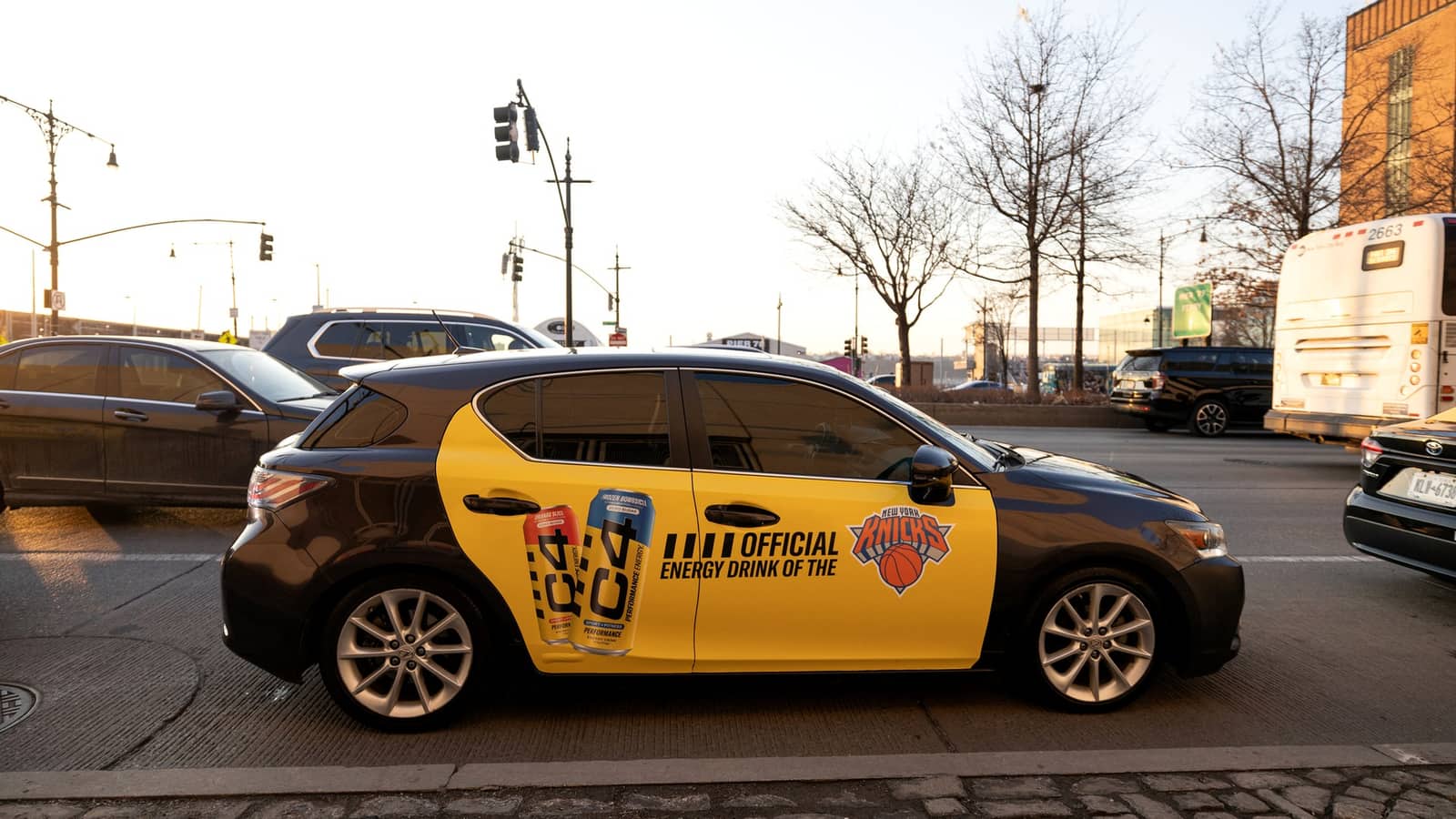
Both sides and the rear window
Layout
One master on the Vugo templates at 1:10 scale; the shop fits it to each make and model
Safe area
Logos, text, URLs and QR codes inside each panel’s safe box
File
PDF, AI or EPS with vector type and logos; placed images 1,500 DPI on the template
Full and partial custom wraps are designed with Vugo and the wrap shop for your vehicles. Picture files (PNG, JPEG) are accepted as previews only and never sent to print, and every print file is checked by Vugo before a shop prints it.
PLAN THE LEAD TIME
03 / LEAD TIMES AND REVIEW
Know the dates before day one.
Creative review
Usually one business day, against the Content Guidelines
Screens
Live on the start date once approved
Tiles
Start date at least 7 days after you submit
Standard Wrap
Start date at least 14 days after you submit
Custom wraps
Lead time confirmed for your market and vehicle count
Lead with the brand and the offer in the first few seconds.
Keep text large and short, and caption it: captions carry the message, with or without sound.
Give the QR code a reason to scan, and test the page on a phone.
Try two versions and let the cars decide.
Make the street work.
Design for recognition at a distance: one strong visual, one short message.
Keep the brand legible from across an intersection.
Run backgrounds to the edge; keep everything that matters in the safe area.
Pair with screens so the rider who noticed the car can act inside it.
04 / GLOSSARY
The words in your report.
In-vehicle screen
A passenger-facing screen in a working car: a tablet mounted to the back of the front seat, or a fully embedded screen built into the headrest. Either way, it’s a Vugo screen.
Validated impression
A play Vugo can confirm happened on a screen in a working car out on the road. Only validated impressions are billed; the rest are free.
Validation rate
Validated plays as a share of everything served.
QR scan
A scan of the code on your ad, tied to the play that showed it. UTM tags credit it in your own analytics.
Limit vs priority
Metros, a radius, and active days limit where and when an ad plays. TripIntent® and time of day are priorities: they put an ad first without shrinking its reach.
TripIntent
Reads the places around a car, and its destination when the driver sets one, to decide which ads play first. Medical, religious, and legal places are never used.
Venue proximity
Working cars that passed near a location you added, or were headed there. It measures only and never changes delivery.
Proof of play
Photos from drivers enrolled in your campaign, taken when you request them.
Available vs addressable
Screens are available by market, where drivers and fleets already run them; wraps are recruited per campaign. The two are reported separately, never as one network number.
Signed receipt
In Vugo Measure, a delivery record for transit and fleet media signed so anyone can check it hasn’t changed.
Impressions (out-of-home)
The industry’s audience estimate for a sign or a vehicle. Geopath defines it as the number of eye contacts people have with an ad unit in a week. It’s modeled, not counted.
Reach and frequency
Reach is the share of people in a market who see an ad at least once over a period. Frequency is how many times, on average, each of them sees it.
GRPs and TRPs
Gross rating points are a schedule’s in-market impressions as a percentage of the market’s population: one point equals 1% of it. Target rating points do the same for a target audience.
Composition index
How well an audience matches your target: the target’s share of the audience divided by its share of the population. Above 100, the target is over-represented.
The out-of-home terms follow Geopath’s definitions in Geopath Insights: Best Practices, Standards, and Protocols (2019), checked November 3, 2026. Vugo reports validated impressions on screens and doesn’t estimate audiences for wraps or Tiles.