
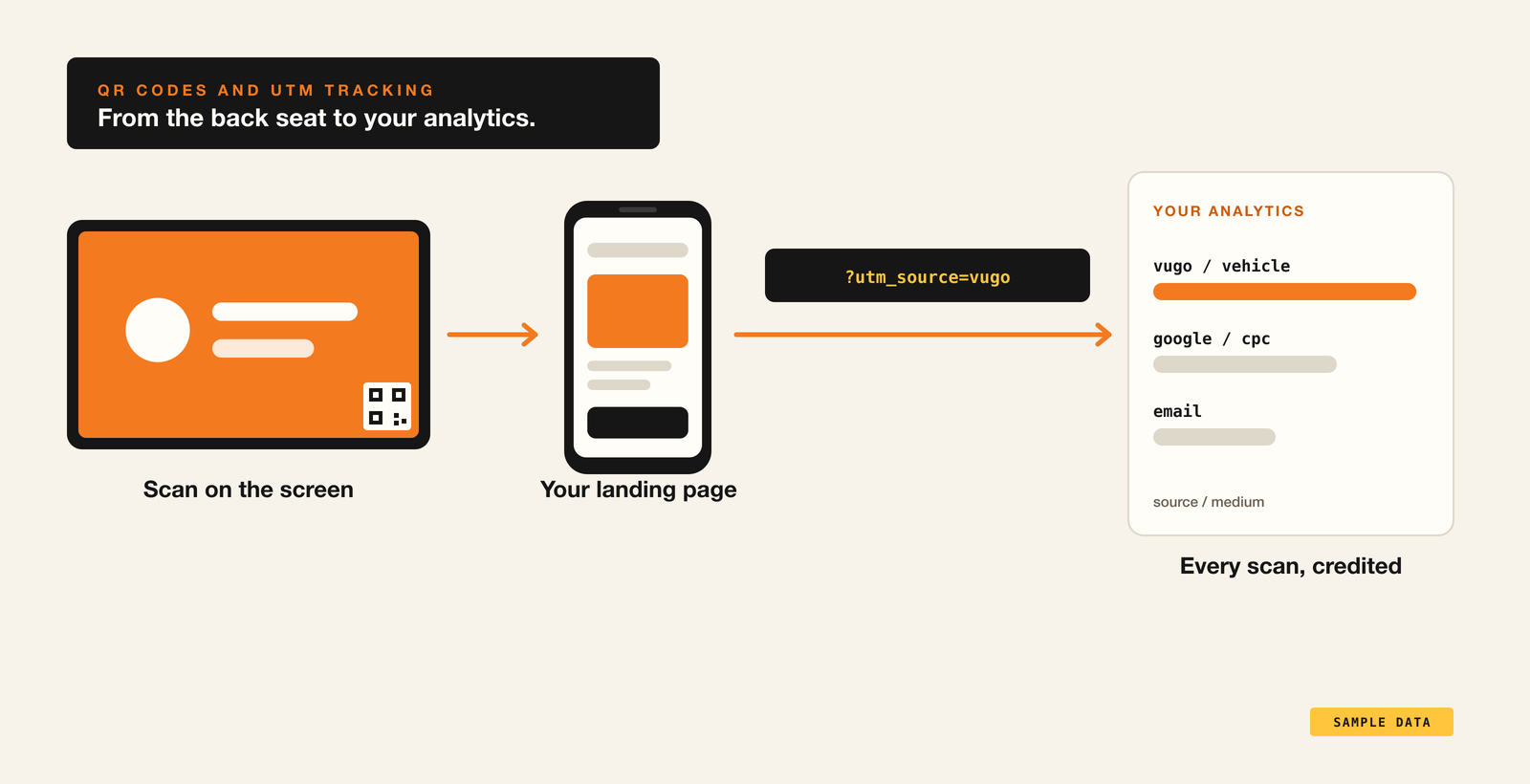
A rider in the back seat has a phone in hand and a few minutes to spare. That's the best moment in outdoor advertising to ask for an action, and the QR code is how you ask. On Vugo, every screen ad carries one, and every scan can be tracked in your own analytics.
A QR code from your landing URL
When you set up a screen campaign, you add a landing URL: the page you want people to reach. Vugo Platform generates the QR code from it as you type, and puts it on your ad. Add an optional extra message, one line shown under your ad, to tell people why to scan.
Each scan is counted on your campaign report and tied to the play that showed it, so you can see which days, hours and places drove the most.
UTM tracking, on by default
Keep Add UTM tracking on, and Vugo adds standard UTM tags to the link inside the QR code. Your analytics tool, whether Google Analytics or anything else that reads UTM tags, then credits every scan to Vugo automatically.
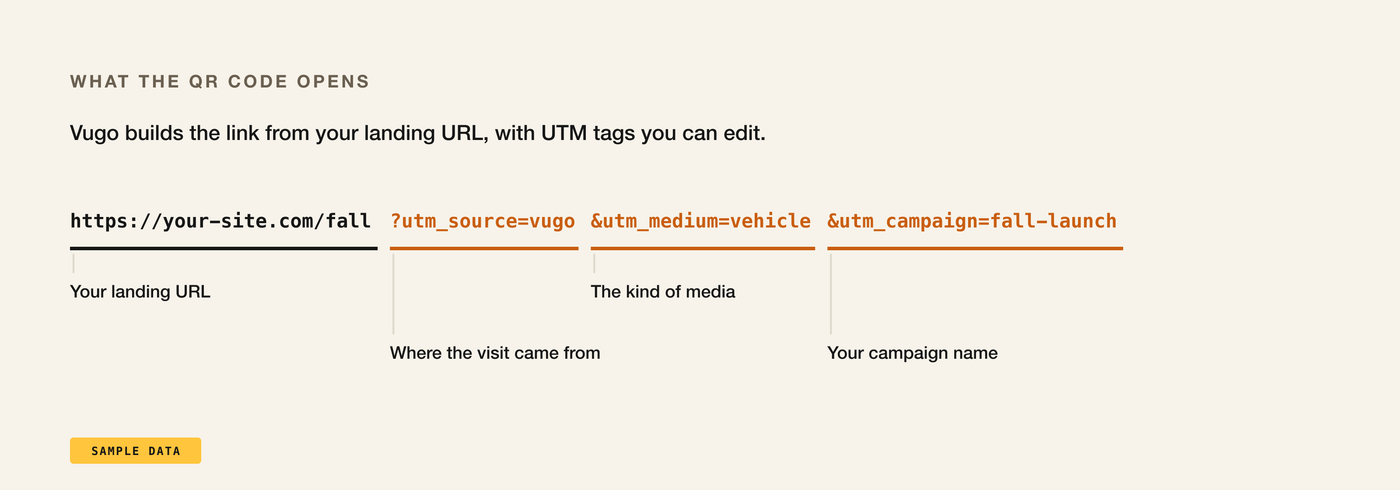
- utm_source=vugo says where the visit came from.
- utm_medium=vehicle says what kind of media it was.
- utm_campaign carries your campaign name, so separate flights stay separate in your reports.
You can edit any of them to match the naming your team already uses.
Build a landing page that converts
The QR code gets someone to your page. The page has to do the rest. A few rules that work:
- Make it for phones. Every scan arrives on a phone, so the page should load fast and read well on a small screen.
- One action. A booking, a menu, a sign-up, an install. Don't send people to your home page and hope.
- Match the ad. If the ad says "20% off your first order", the page should say it too, at the top.
- Make it worth it. A code, an offer or an exclusive gives people a reason to scan now instead of later.
- Keep it short. Riders have minutes, not an afternoon.
Read the scans
Your campaign report counts every scan beside the plays that drove it. Look at where and when your ad played, and compare it with when the scans came in: the hours, days and parts of town that earn the most scans are where to lean in next time. Then follow the visits in your own analytics, all the way to the booking, the order or the sign-up.
See how in-vehicle screens work, read the ad specs and creative guide, or talk to us about your campaign.